Start from a blank board or from a template that already has the states and fields for a common process.
Make a board
Click Boards in the rail, then New board.
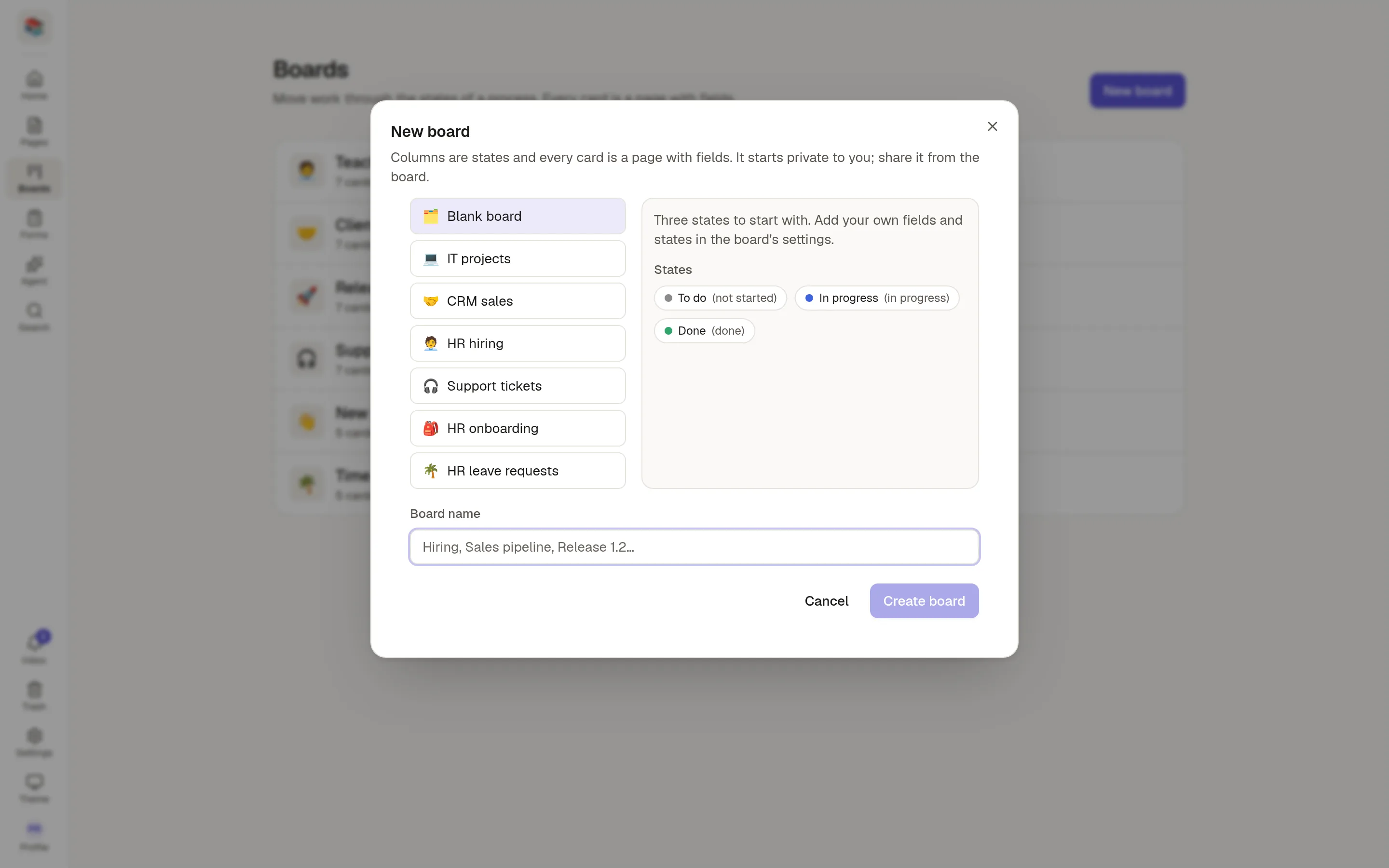
Pick a starting point. The right-hand side shows the states and fields you will get.
Give the board a name. It follows the template's name until you type your own.
Click Create board.
Starting points
Blank board has three states: To do, In progress and Done. Add your own fields and states afterwards.
IT projects, CRM sales, HR hiring, Support tickets, HR onboarding and HR leave requests come ready with states, fields and, for some, an outline that every new card starts with.
Templates your workspace has made or changed appear in the same list. See 🧩 Board templates.
Who can see it
A new board is private to you. Click Share on the board to give people access. A card can never be published to the web.
Limits
Your plan may limit how many boards a workspace can have. The Boards page shows N of M boards used, and New board is replaced by a short message once you reach the limit. Ask your administrator if you need more.