A custom agent is a helper with a job of its own, such as drawing diagrams, writing quiz questions or researching on the web. Anyone can call it by typing @ in a page or choose it when starting a chat.
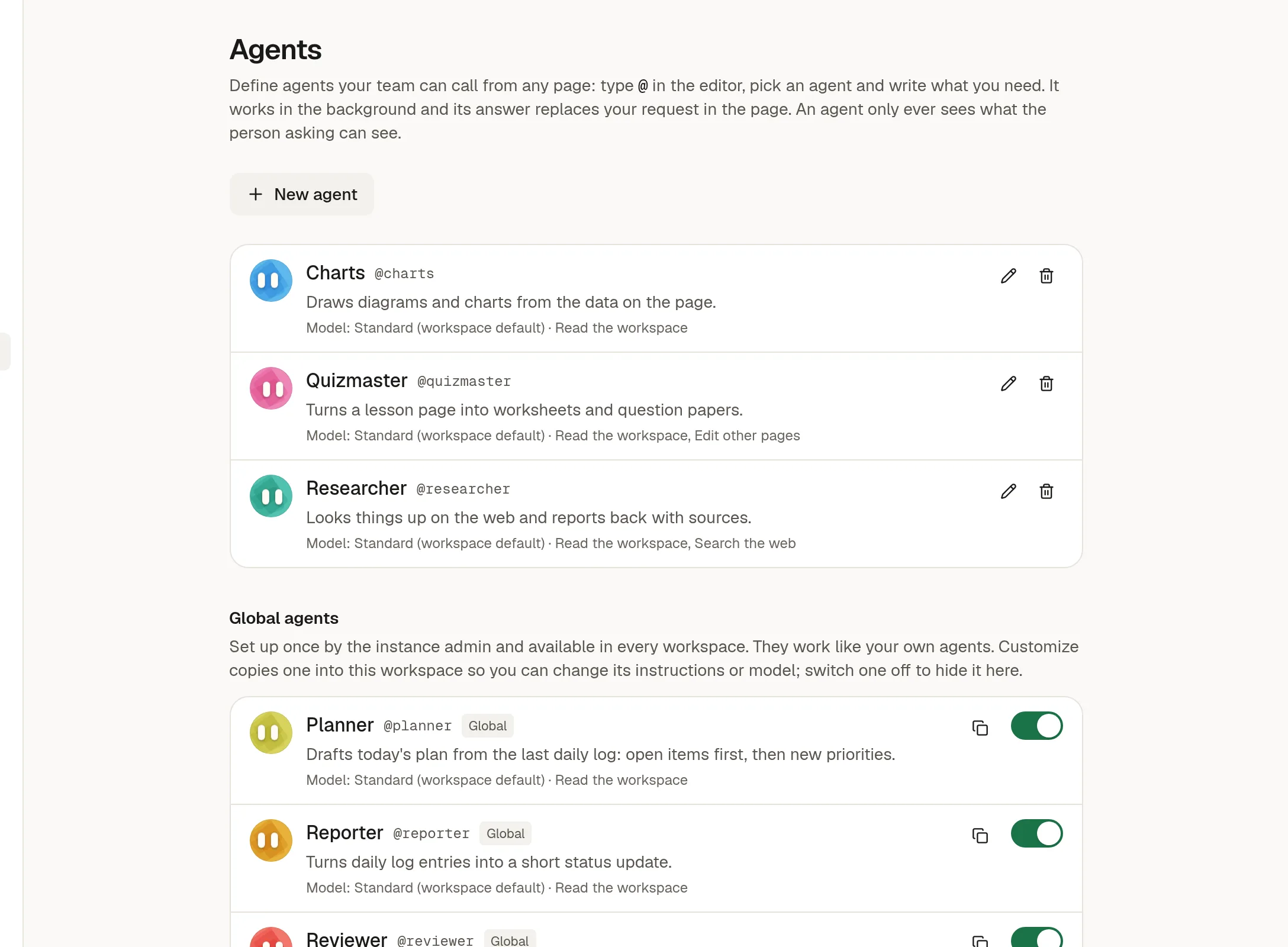
Make an agent
Owners and admins click New agent and fill in:
Name and handle. The handle is how people call it (
@charts). It is unique in the workspace.Instructions: what it does and how it should answer.
Colour: it appears as a round face in that colour.
Model: optional. Without one it uses the workspace's default.
Tools: which groups it may use.
Read the workspace to find and read pages.
Search the web.
Edit other pages to write beyond its own answer.
Connectors, the tools from 🔧 Connect GitHub and MCP servers.
Every member can see the list of agents. Only owners and admins change it.
Global agents
Your instance administrator can provide agents that appear in every workspace, for example Planner, Reporter and Reviewer. They are marked Global.
Use the switch to turn one on or off for your workspace.
Customize makes a copy you can edit, with the same handle, so your copy replaces the global one here. Nobody in the workspace ever sees a global agent's instructions until you customize it.
How agents behave
They work with the access of the person who asked, never more.
From a page (
@), they run in the background and cannot ask for approval, so they only do what needs none. See @ Ask an agent from a page.In a chat, the tool groups decide what is offered. Writes still follow ✅ Approve what the agent does.
Their work counts against the workspace's Agent Mode allowance.
Deleting an agent turns its chats into plain ones.