The editor is where you write. Type to add text, press / to add anything else.
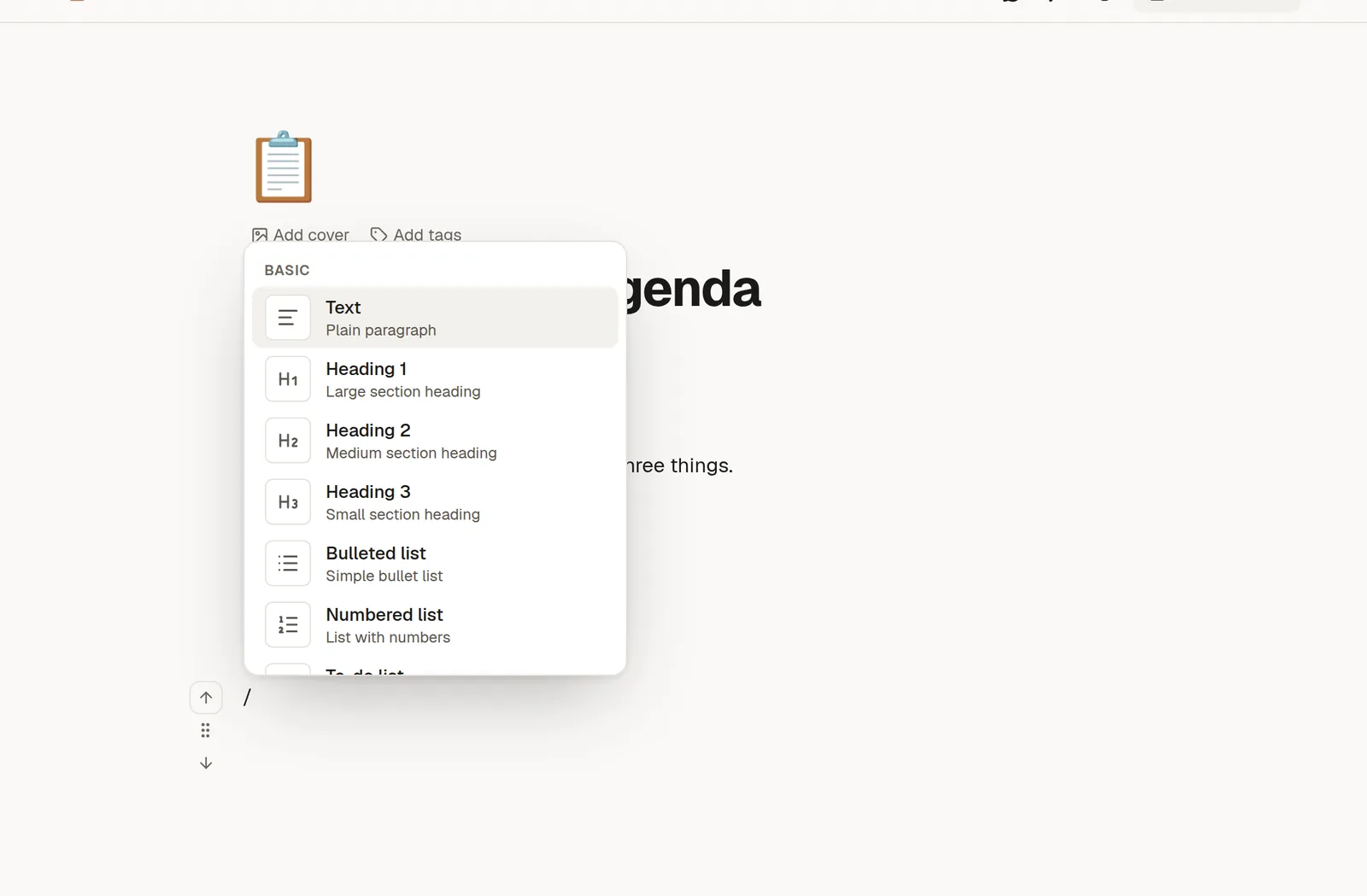
The slash menu
On an empty line, type /. A menu lists every block you can add. Keep typing to narrow it down, use the arrow keys to choose, and press Enter to insert. Press Esc to close it.
Group | What you can add |
|---|---|
Text | Text, Heading 1, 2 and 3, Bulleted list, Numbered list, To-do list, Quote |
Layout | Callout, Divider, 2 columns, 3 columns, Table, Code block |
Media | Image, Video, Audio, Embed web page, Bookmark |
Diagrams | Chart / diagram, draw.io diagram, Scribble |
Learning | Quiz, Flashcards |
Other | HTML, Sub-page, Link to page |
Each of these has its own page in this section. Start with 🔤 Text, lists, tables and callouts.
Format selected text
Select some text and a small toolbar appears next to it. Use it for bold, italic, strikethrough, links, highlight and colour. The usual shortcuts work too: Ctrl+B or Cmd+B for bold, Ctrl+I or Cmd+I for italic.
Markdown shortcuts
If you know Markdown, you can type it. NoteMaker turns it into formatting as you go:
#,##or###and a space make a heading.-and a space make a bullet list.1.and a space make a numbered list.[ ]and a space make a to-do item.>and a space make a quote.Three backticks make a code block.
Move and rearrange blocks
Hover over a block and a handle appears on its left. Drag the handle to move the block, or click it for a menu to turn the block into another type, duplicate it or delete it. Alt+↑ and Alt+↓ move the block you are in up or down without the mouse.
Work together
Every page is a live document. When someone else opens the same page you see their name and cursor, and both of you can type at the same time. Changes are saved as you type, so there is nothing to save by hand.
On a tablet or phone
Without a keyboard there is no /. On a touch device a floating Scribble button lets you write by hand straight onto the page. See 📐 Diagrams and handwriting.
Not sure which block you need? Type / and a word, for example /table or /image. The menu filters as you type.