The audit log is a record of who did what in the workspace, when, and from where. It is for owners and admins, in Settings → Audit log, when your plan includes it.
What it records
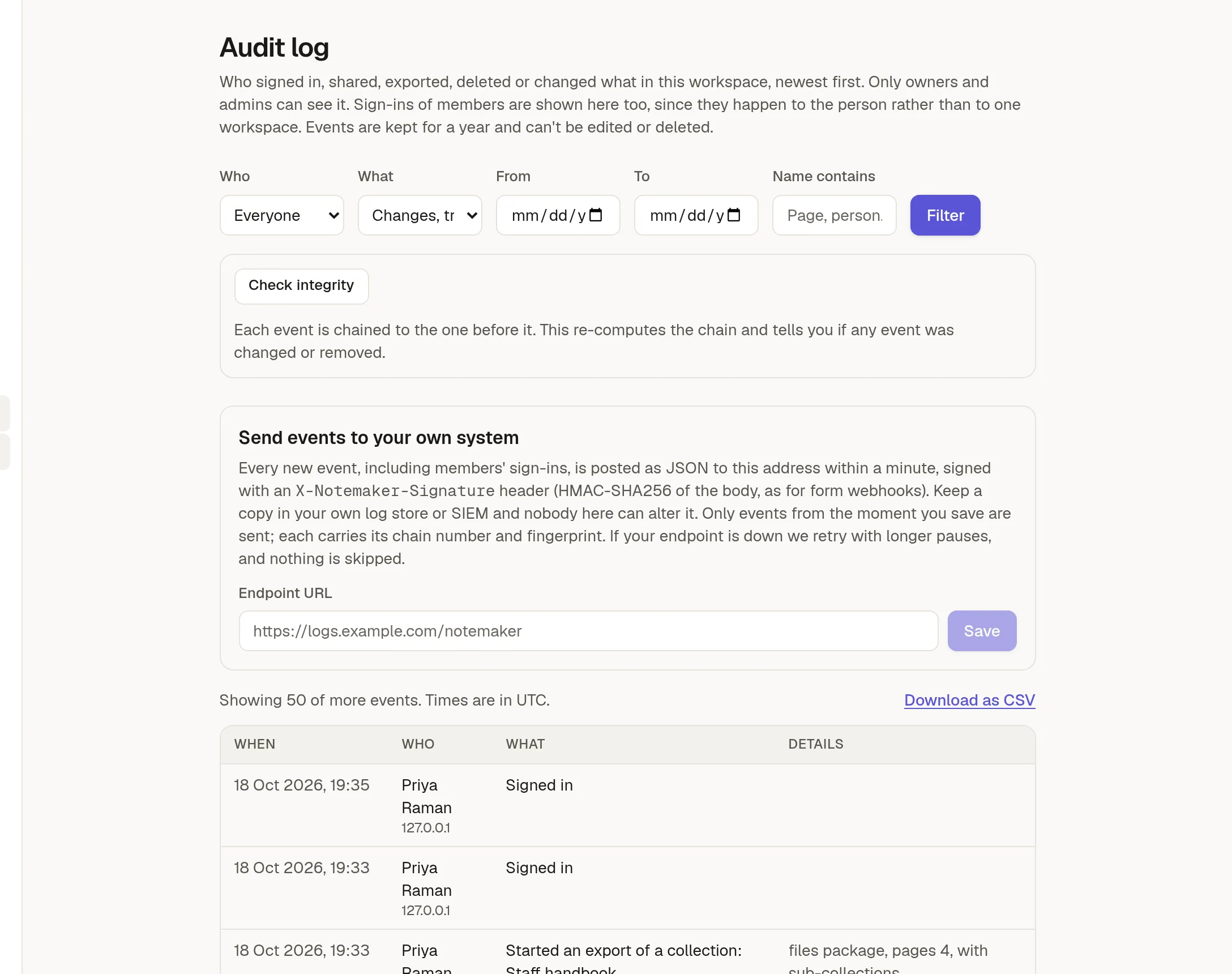
Sign-ins and failed sign-ins, changes to members, invitations, tokens and two-factor, sharing and publishing, trashing, restoring and deleting, exports and imports, changes to domains, connectors and settings, and everything an agent or an API token changes. Each event shows the person, what happened, the thing it happened to, their address and browser, and the time.
Every new event keeps the name as it was at that moment, so the log still reads correctly after something is renamed or removed. Page text and secrets are never stored in it.
Find something
Use the filters at the top: Who, What (a group of actions), From and To dates, and words in the name. Click Filter. The newest events come first. Use Older events to go back further.
Opens and downloads, such as someone viewing a page, are recorded too but hidden by default. Choose Everything, including opens and downloads to see them. On a page, its creator or an admin can also open the page's own Activity panel.
Download as CSV saves the filtered list.
Check it has not been changed
Click Check integrity. Each event is chained to the one before it, so the check can tell you if an event in the middle was changed or removed, and where. Note the newest event's number and fingerprint it shows, and keep them somewhere else. That is what lets you notice if recent events are ever cut off.
Send events to your own system
Under Send events to your own system, enter an address and save. New events are sent there as JSON within about a minute, signed with X-Notemaker-Signature, the same way as 🔌 Send responses to a webhook. Keep a copy in your own log store or security system, where nobody here can alter it. Only events from the moment you switch it on are sent. If your endpoint is down, NoteMaker retries with longer pauses.
How long events are kept
Your plan sets it, one year by default. Older events are removed automatically.
The log makes changes visible. It cannot stop someone who controls the database from rewriting it, which is why the stream to your own system exists.