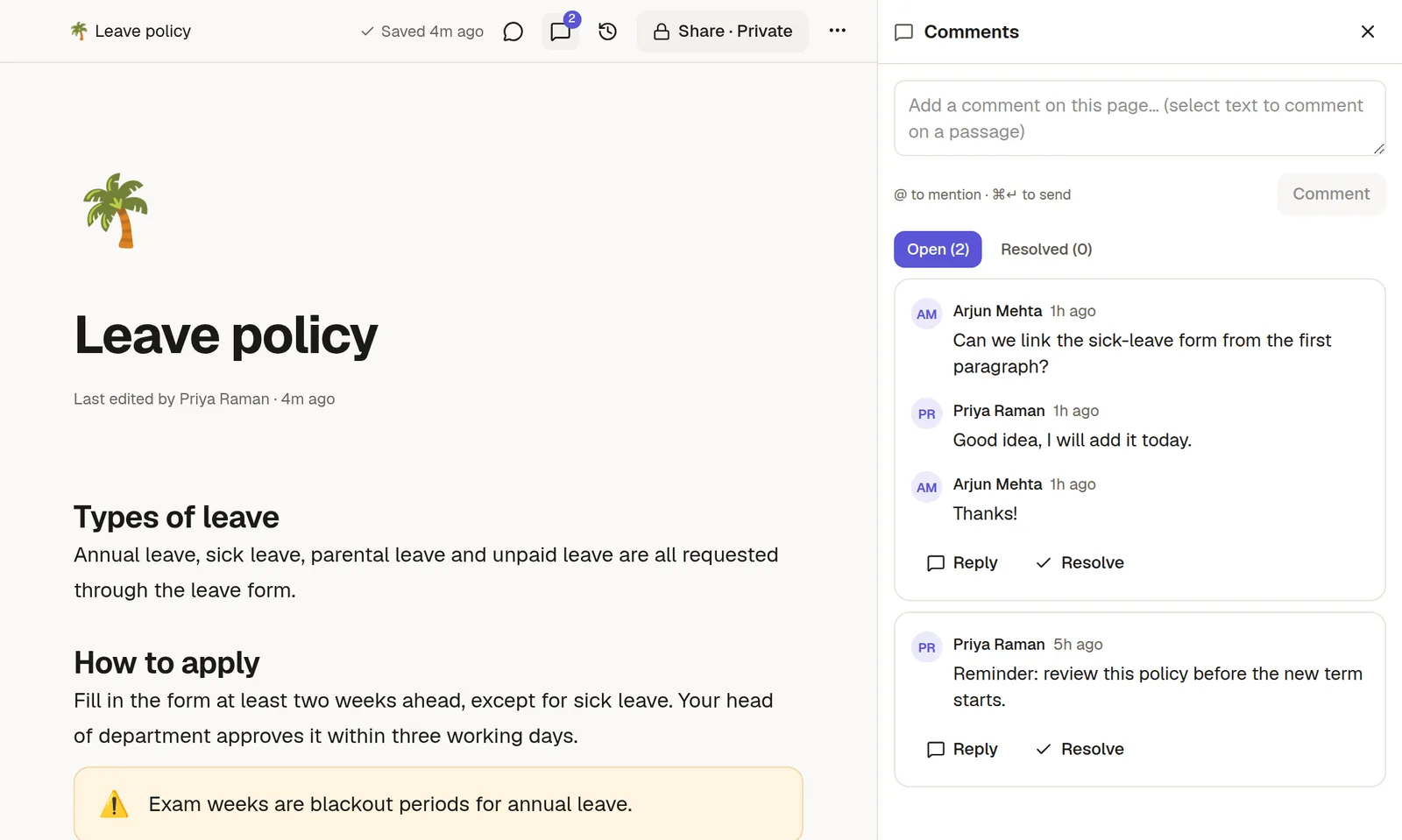
Discuss a page without editing it. Comment on the whole page, or on a few words.
Comment on selected text
Select the words you want to talk about.
Click the comment button in the toolbar that appears.
Write your comment and send it.
The text stays highlighted. Hover over it for a preview of the first comment and the number of replies, and click it to open the thread in the comments panel.
Comment on the whole page
Open the comments panel from the ⋯ menu, or the comment button in the top bar, and write a page comment at the bottom.
Reply, resolve, delete
Reply in the thread to keep the conversation together.
Resolve a thread when it has been dealt with. It moves to the Resolved tab, and you can reopen it later.
Delete your own comment if it was a mistake.
Mention someone
Type @ and a name in a comment to notify that person. They get a message in their inbox, and an email if you have email set up. Only people who can open the page are notified.
Who can comment
Anyone with Comment access or higher on the page. Someone who can only View can read the page but not comment. See 🤝 Share a page or a collection.
Starting a thread on selected text is part of some plans. Page comments and replies are always available.
Good to know
Comments are kept with the page but are not part of its text. They do not appear in exports, duplicates or published pages.
If an editor replaces the text a comment was attached to, the comment stays in the list and is marked as detached.