A webhook sends each new response to an address you choose, as soon as it arrives. Use it to feed your own system, a script or an automation tool.
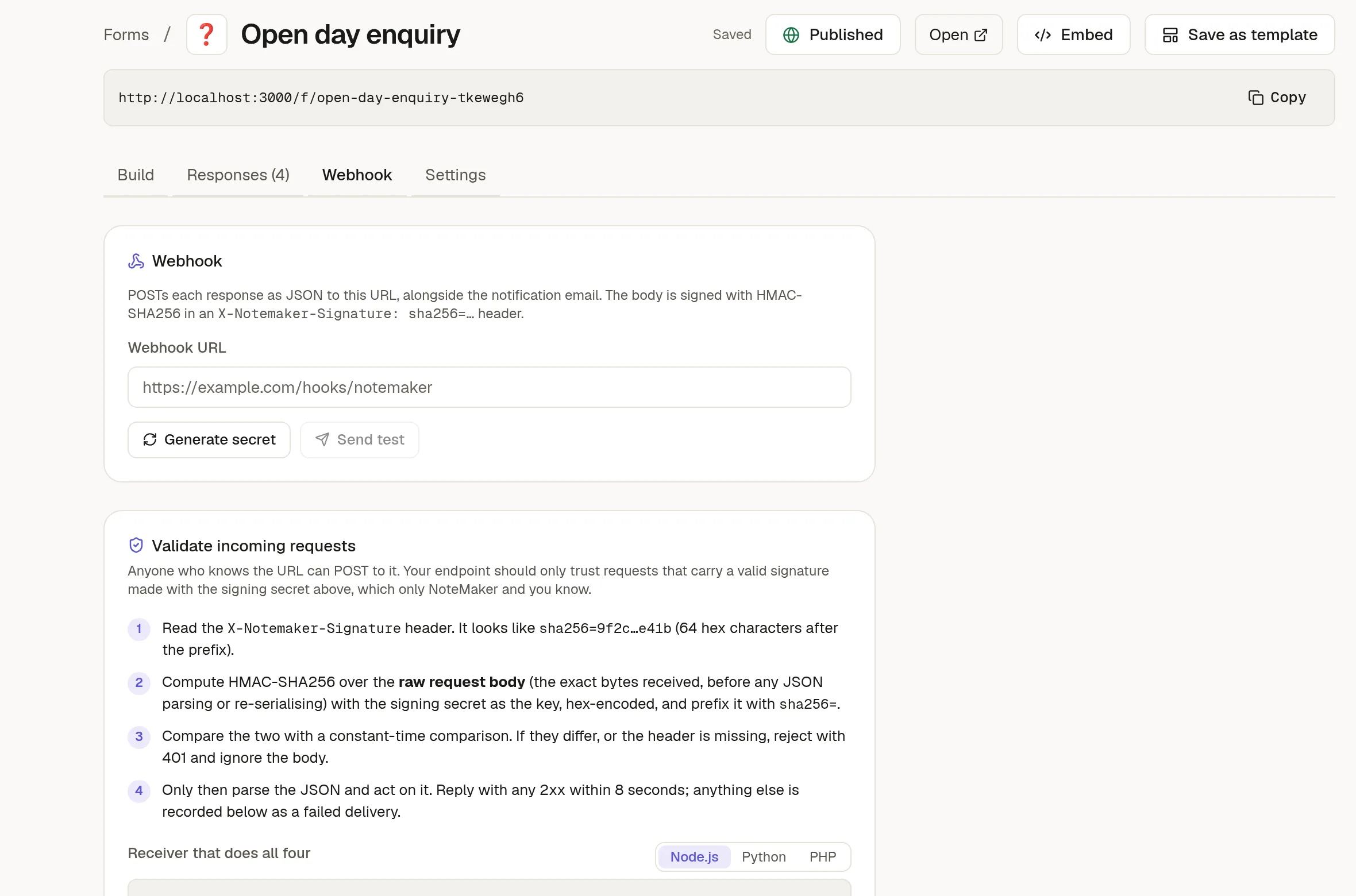
Set it up
Open the form's Webhook tab.
Paste your Webhook URL.
Click Generate secret and copy it. It is shown once.
Click Send test to see that your endpoint answers.
NoteMaker sends a JSON body with the form, the response and its answers. The tab shows a sample built from your own fields.
Check that a request is real
Anyone who knows your URL could send something to it, so verify the signature. Every request carries a header X-Notemaker-Signature: sha256=….
Read the header.
Compute an HMAC-SHA256 of the raw request body with your secret, as hex, and add the
sha256=prefix.Compare the two with a constant-time comparison. If they differ, answer 401 and stop.
Only then read the JSON.
The tab has ready-to-copy receiver code in Node.js, Python and PHP. Answer with a 2xx status within 8 seconds. Anything else counts as a failed delivery.
See what happened
Below the settings, the tab counts deliveries and failures and lists every attempt with its time, status, how long it took and a plain-words reason when it failed. Click Re-send on a row to try again with the same body, using the current URL and secret. Clear log empties the list. The newest 200 are kept, and a red dot on the tab means the last attempt failed.
NoteMaker refuses to send to private addresses such as localhost or internal servers. To try it out, use a public test endpoint.