Two ways to get a page out of the way. Archive means finished, keep it. Trash means delete it.
Archive a page
Open the page's ⋯ menu, or its menu in the Pages panel, and choose Archive. The page and all its sub-pages disappear from the tree, search and the recent list, but nothing is lost.
An archived page is read-only for everyone. If someone opens it from a direct link they see a banner with Restore.
If the page was published, it goes offline while archived and comes back online when you restore it.
See and restore archived pages
Choose Archive from the Pages screen, or open /your-workspace/archive. Each archived page is listed with the number of sub-pages it took with it. Choose Restore to bring it back to where it was. If its parent has been archived or deleted in the meantime, it returns to the top level.
Anyone who can Edit a page can archive it and restore it, because both are reversible.
Delete a page
Choose Delete from the page's menu. The page goes to the Trash, not away for good.
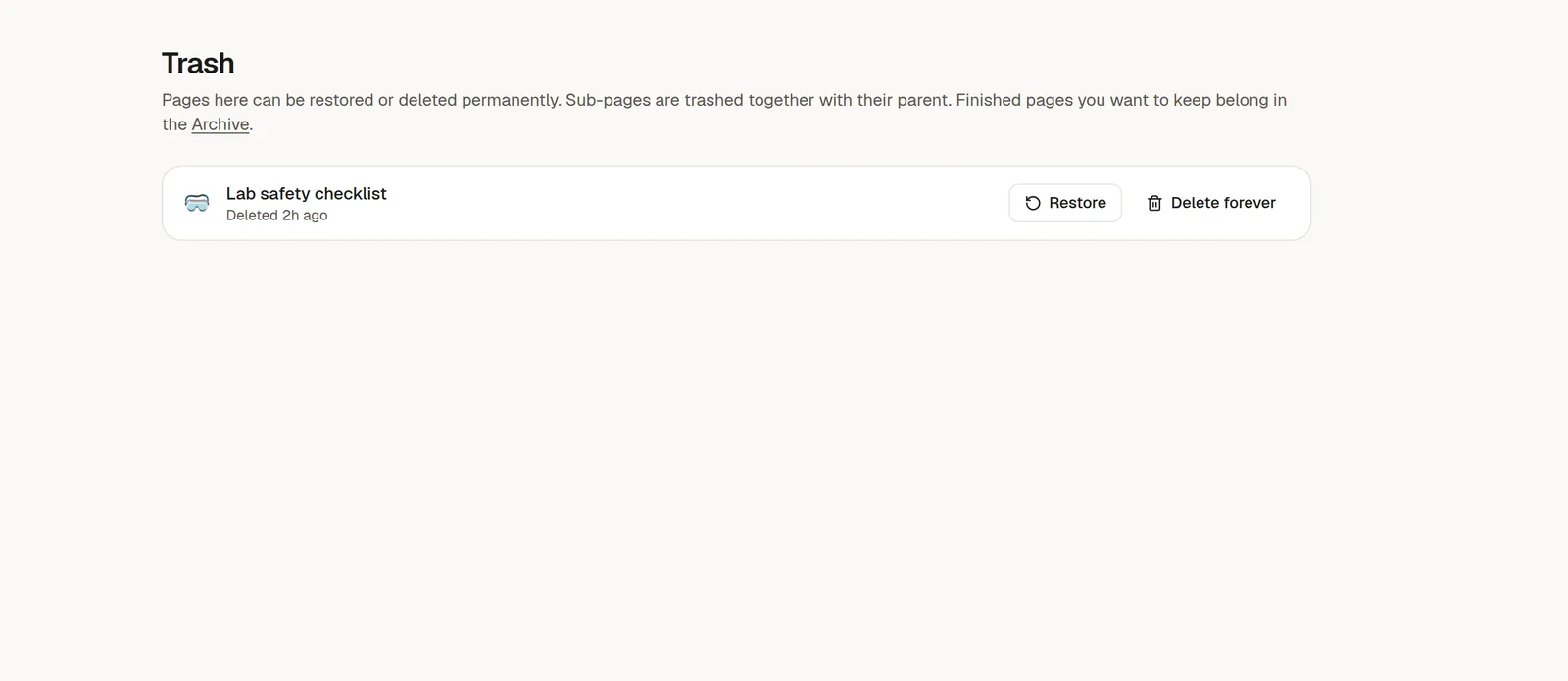
Open Trash in the rail to see what is there. Restore puts a page back. Delete permanently removes it forever and cannot be undone.
Only the page's author or a workspace owner or admin can delete, restore from the trash or delete permanently. Edit access alone is not enough.
Which one should I use?
I want to… | Use |
|---|---|
Keep a finished project for reference | Archive |
Clear clutter but be able to find it | Archive |
Remove something I no longer want | Trash |
Remove it for good | Trash, then Delete permanently |
Archiving never changes who can see the page. Archived pages keep their sharing, so restoring does not need to be set up again.