Add colleagues to your workspace by email or with an invite link, and choose what each person can do.
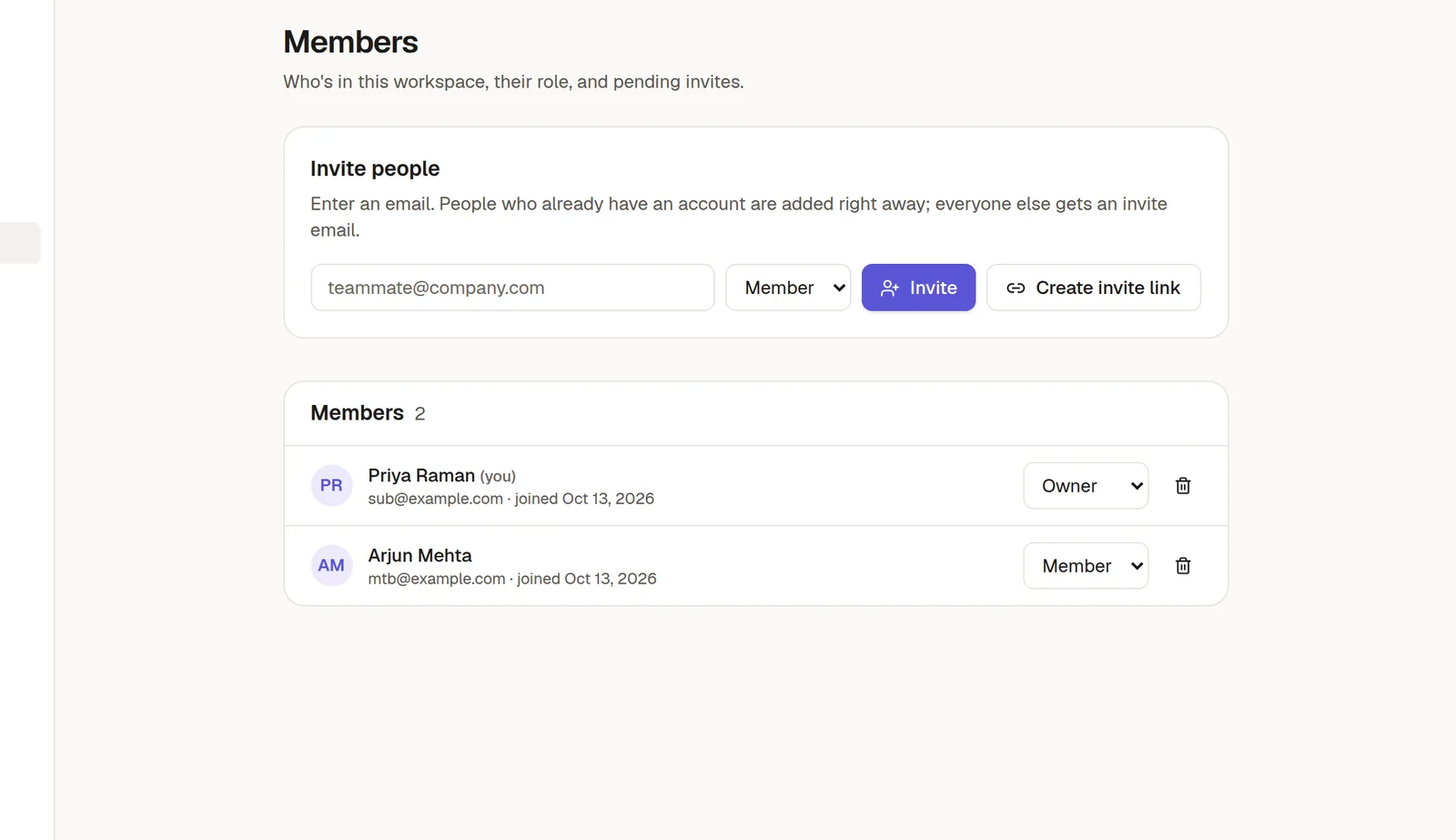
Invite someone
Open Settings in the left rail and choose Members.
Type the person's email address.
Pick a role: Member, Admin or, if you are an owner, Owner.
Choose Invite.
If the person already has a NoteMaker account, they are added straight away. If not, they get an email with a link to create an account and join.
Share a link instead
Choose Create invite link to get a link you can paste into a chat or an email. Anyone who opens it can join the workspace. Pending invites are listed on the same screen, where you can copy their links again.
What the roles mean
Member can read and write pages they have access to, and use forms, boards and agents.
Admin can also manage members, workspace settings and sharing.
Owner has full control of the workspace, including billing.
Roles are about the workspace. What a person can open is decided separately, page by page and collection by collection. See 🤝 Share a page or a collection.
Change a role or remove someone
In the Members list, change the role from the drop-down next to the person's name, or choose the bin icon to remove them. A person who owns a board must hand it over before they can be removed.
How many people can join
Your plan sets how many members a workspace can have. When you reach the limit, invites stop working until you remove someone or move to a bigger plan. People who only read a published page do not need an account and do not count.
Tip: only invite people who need to edit or comment. 🌐 Publish to the web as a public link if people just need to read it.