Start from a blank form or from a ready-made one, then change anything. Nothing is public until you publish it.
Make a form
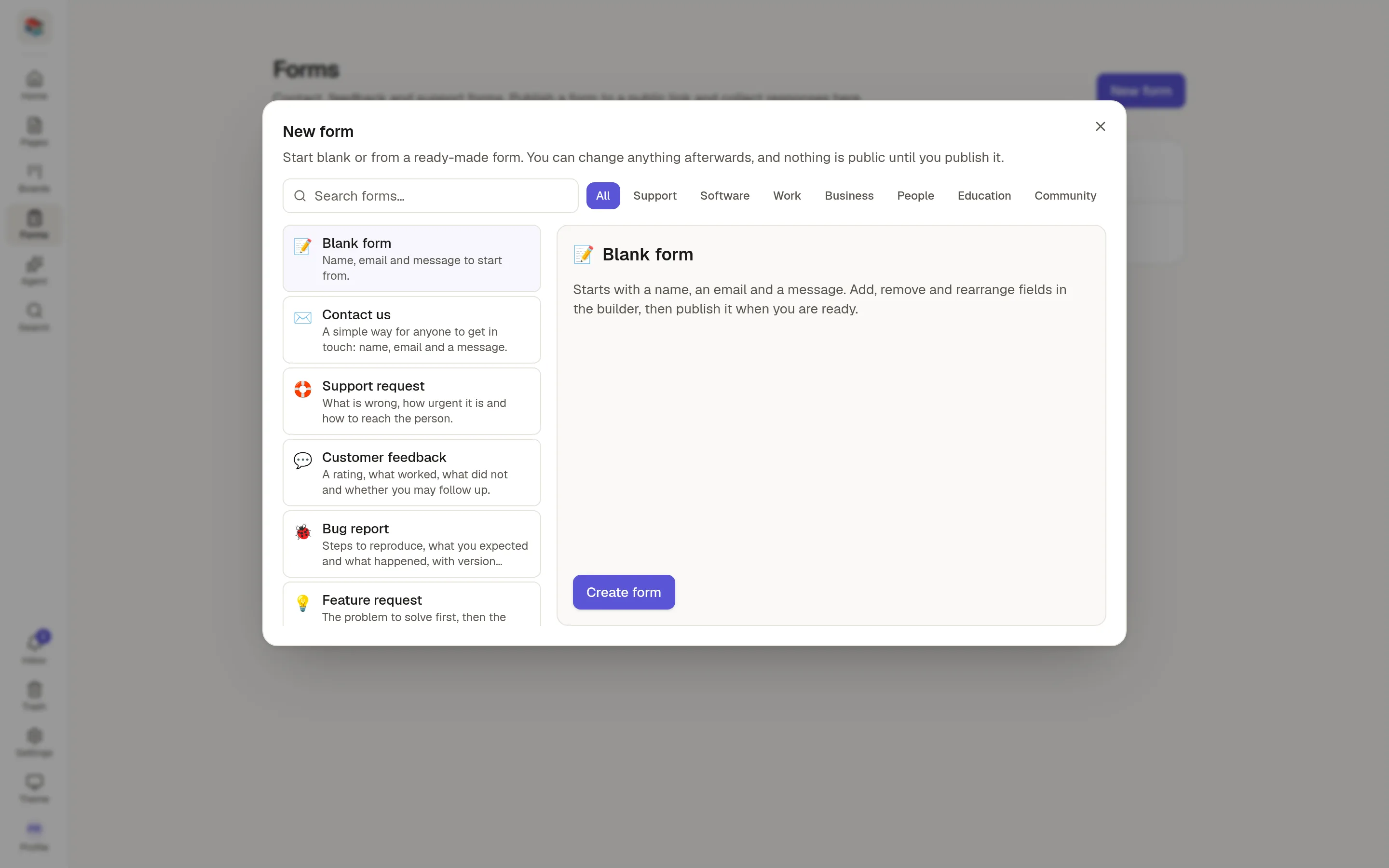
Click Forms in the rail, then New form.
Choose a starting point. The right-hand side lists the fields you will get.
Click Create form. It opens in the builder.
Starting points
Blank form has a name, an email and a message. Press Enter in the search box to create it at once.
Templates are grouped as Support, Software, Work, Business, People, Education and Community. Use the search box or the tabs to find one.
Forms your team has saved as templates appear under Workspace.
Save your own template
In the form's header, click Save as template. It copies the structure only: the fields and the button and thank-you texts. Responses, webhooks, emails and sharing settings are never copied. Everyone in the workspace can then start a form from it.
Limits
Your plan may limit how many forms the workspace can have. The Forms page shows N of M used and a message instead of New form when you reach it.